https://bugs.freebsd.org/bugzilla/show_bug.cgi?id=262876
--- Comment #5 from Joachim Moskalewski <[email protected]> ---
D-Bus: I simply don't start it. But I've already checked Kdenlive with D-Bus
enabled - without a difference.

Compiled from Git: Done that yesterday (but I didn't recompile Melt - I still
used "multimedia/mlt7(-qt5)"). "make install" pointed to "~/.local" as
described in the docs (I don't want to mess up my installation); But compiling
Kdenlives Git 21.12.3 as well as the bleeding edge source archive didn't change
anything here - I still got the "missing…" output - and no audio plugins.

How basically use Kdenlive / first steps: Use drag&drop. Top left shows the
"Project Bin" - drop a video file there. Now that file is available for
editing. Drag that video from there to the timeline on the bottom. Now you can
edit it this track.

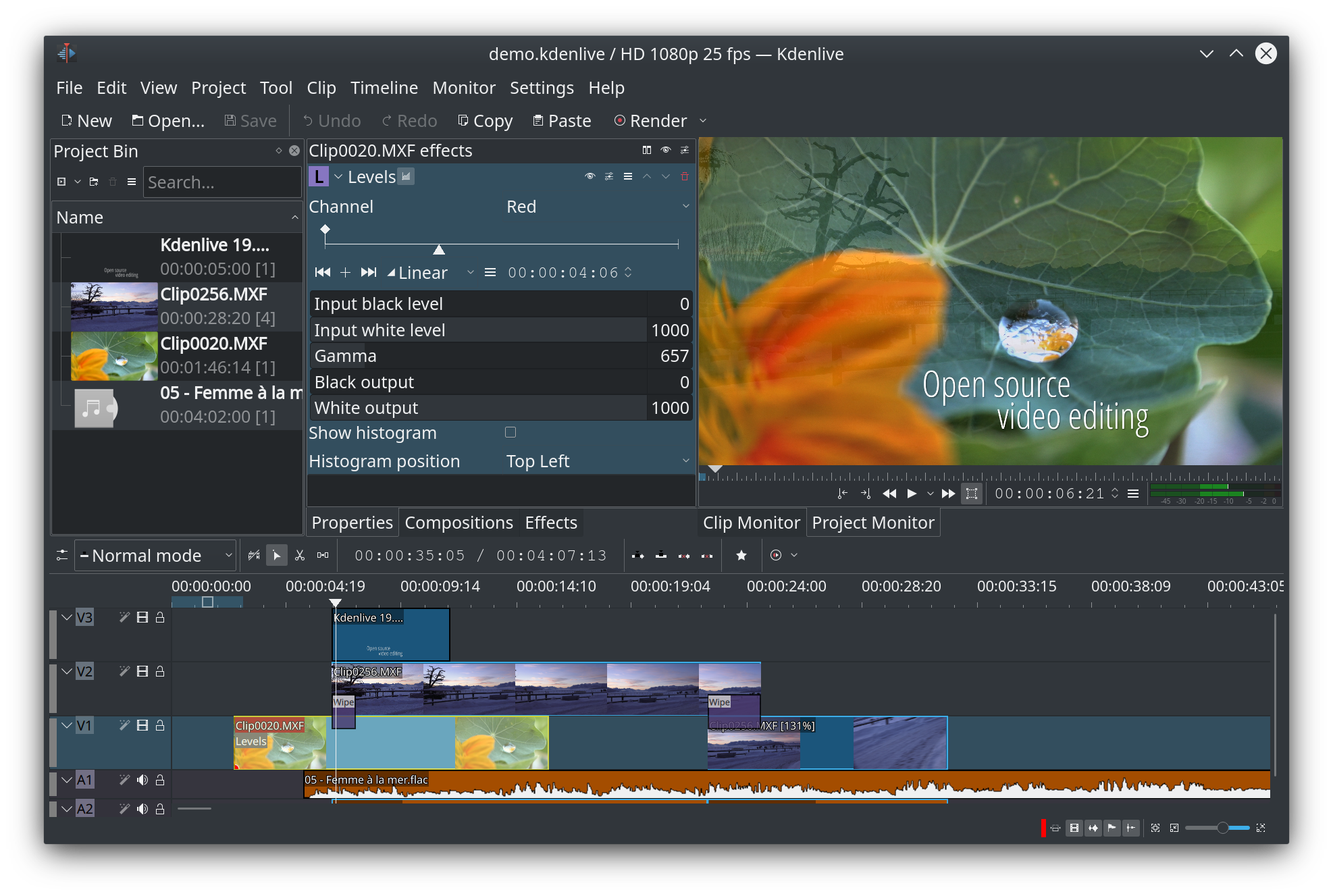
What's missing … first a random screenshot:
https://cdn.kde.org/screenshots/kdenlive/19-08.png
Here you'll see three blue video tracks, and one red/orange audio track in the
timeline.

The waveforms of the audio tracks aren't actually available in FreeBSD.

Moving the mouse over the corners of an selected audio track in the timeline
will pop up a small dot-button, which should add a simple fade in/out to the
track. Kdenlive will crash because that basic function isn't available.

Beyond the Clip and Project Monitor (top right) you'll see a volume meter. That
isn't shown in FreeBSD.

The top middle frame shows three tabs: Properties, Composite and: Effects,
which can be used on selected tracks in the timeline. There should be many
audio effects like fade in, fade out, volume (keyframeable), gain, high pass,
low pass etc; They all are not available.

I haven't used Kdenlive for some months, but all of this worked in FreeBSD in
2020, and all of this still work on Debian and Windows.

--
You are receiving this mail because:
You are the assignee for the bug.