<https://lh5.googleusercontent.com/-5ivnrGXxNAM/UIPBDcxotxI/AAAAAAAABmo/a-AsIGvqsNM/s1600/openScreen1.png>
<https://lh6.googleusercontent.com/-EUgLTCRua7g/UIPA8Sa9R7I/AAAAAAAABmg/bT5LnxvoAQE/s1600/openScreen.png>

hi,
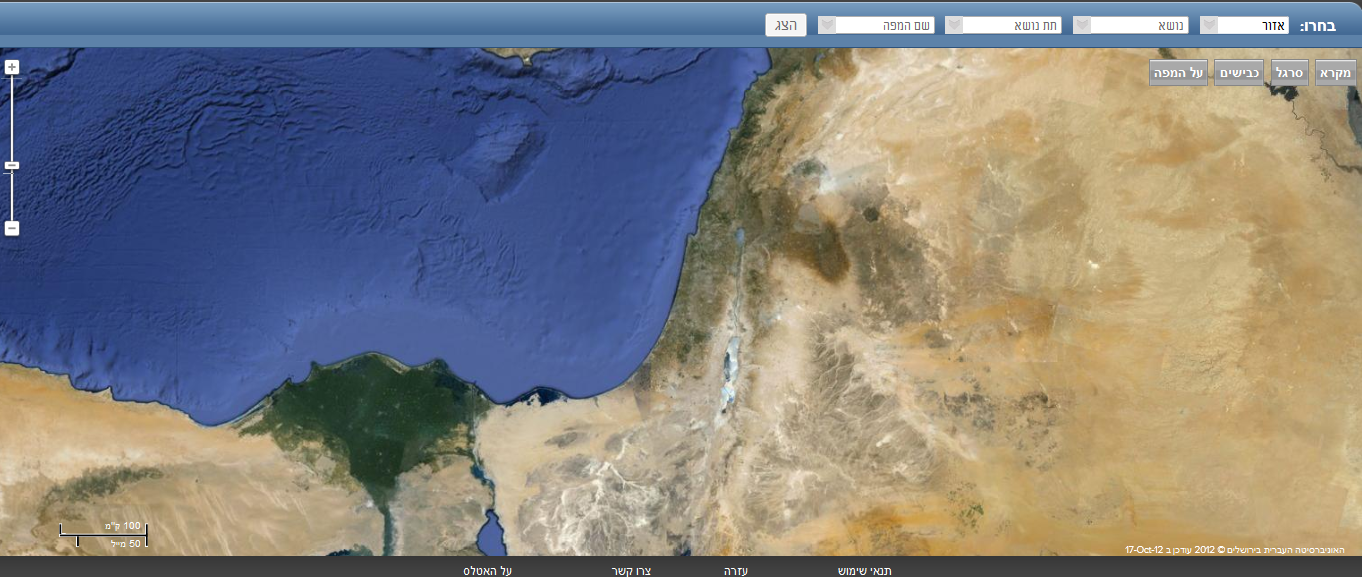
I have web site based on google maps v3 and sql-server to load my data.

I want that when user first loading my site - a popup will show in the
middle with all logos .

I tried different platforms. the best for me is  -
http://www.queness.com/post/77/simple-jquery-modal-window-tutorial
the modal opens but the maps behind is not loaded I have only the mask
above.

my javascript:
$(function () {
                      launchWindow('#dialog');
                        initializeTargetLocation();
});

function launchWindow(id) {

    //Get the screen height and width
    var maskHeight = $(document).height();
    var maskWidth = $(window).width();

    //Set heigth and width to mask to fill up the whole screen
    $('#mask').css({ 'width': maskWidth, 'height': maskHeight });

    //transition effect
    $('#mask').fadeIn(10);
    $('#mask').fadeTo("slow", 0.4);

    //Get the window height and width
    var winH = $(window).height();
    var winW = $(window).width();

    //Set the popup window to center
    $(id).css('top', winH / 2 - $(id).height()/2);
    $(id).css('left', winW / 2 - $(id).width() / 2);

    //transition effect
    $(id).fadeIn(2000);


}

function initializeTargetLocation() {

    isRulerActive = false;
    rulerMarkerIdx = 0;
    currentPolygon = null;
    currentMarker = null;
    var mapOptions = {
        zoom: 8,
        //center: new google.maps.LatLng(31.926, 35.281),
        mapTypeId: google.maps.MapTypeId.SATELLITE,
        streetViewControl: false,
        mapTypeControl: false,
        panControl: false,
        scaleControl: true,
        scaleControlOptions: {
            position: google.maps.ControlPosition.BOTTOM_LEFT
        },
        zoomControl: true,
        zoomControlOptions: {
            position: google.maps.ControlPosition.TOP_LEFT
        }
    };

    mapTargetLocation = new google.maps.Map(document.getElementById("map"),
mapOptions);
   infowindow = new google.maps.InfoWindow();

    google.maps.event.addListener(mapTargetLocation, "click", function (e) {
        if (isRulerActive == true) {
            addMeasuredPoint(e.latLng);
        }
        if (infowindow) infowindow.close();
    });
 google.maps.event.addListener(infowindow, "domready", buildChart);

creating div on map  ....

});

Tnx for any help!!!!
Tali


--
You received this message because you are subscribed to the Google Groups
"Google Maps JavaScript API v3" group.
To view this discussion on the web visit
https://groups.google.com/d/msg/google-maps-js-api-v3/-/KA1OcI15wA8J.
To post to this group, send email to [email protected].
To unsubscribe from this group, send email to
[email protected].
For more options, visit this group at
http://groups.google.com/group/google-maps-js-api-v3?hl=en.