I know this is not directly related to Gmail, but I thought it would be
helpful for some people here.  This is from the Google Drive Blog.
Organization in Drive should be super easy
<http://feedproxy.google.com/~r/GoogleDriveBlog/~3/trvNWvnegtM/organization-in-drive-should-be-easy.html>
Jan 14th 2016, 18:17, by A Googler
<https://plus.google.com/100630705629414352418>

Saving lots of files in Google Drive is a great way to keep them safe. But
as you put more and more files there, keeping things organized can be a bit
of challenge. So, here are recent improvements that will help you more
easily put things where they belong:

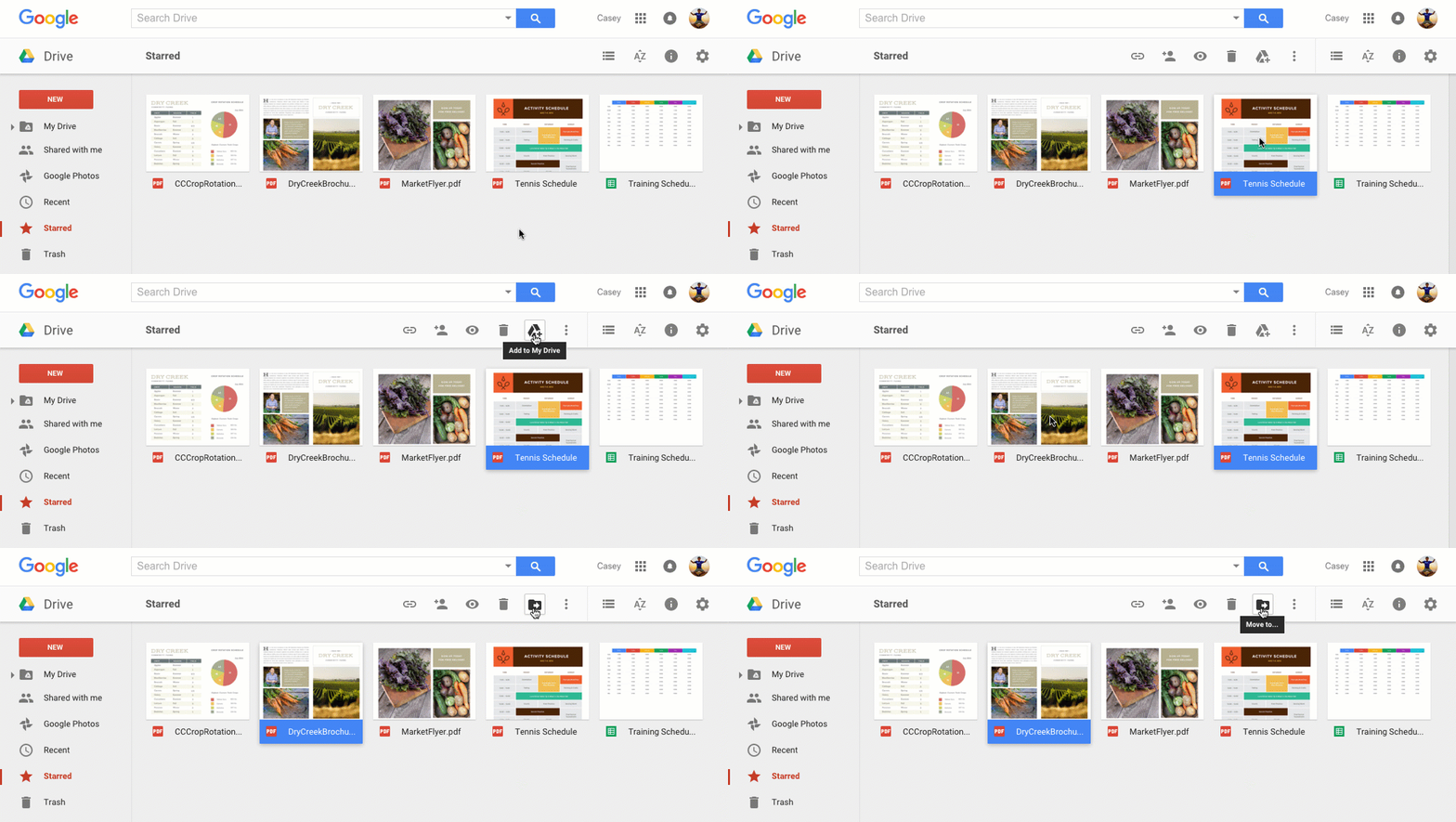
   - When you're browsing files, the toolbar now shows a “Move” icon for
   files already in Drive and “Add to My Drive” for everything else.

<http://2.bp.blogspot.com/-R-3KnRne69o/VpfegfqrU_I/AAAAAAAABxE/K6QiyisX_q4/s1600/drive_addmove.gif>


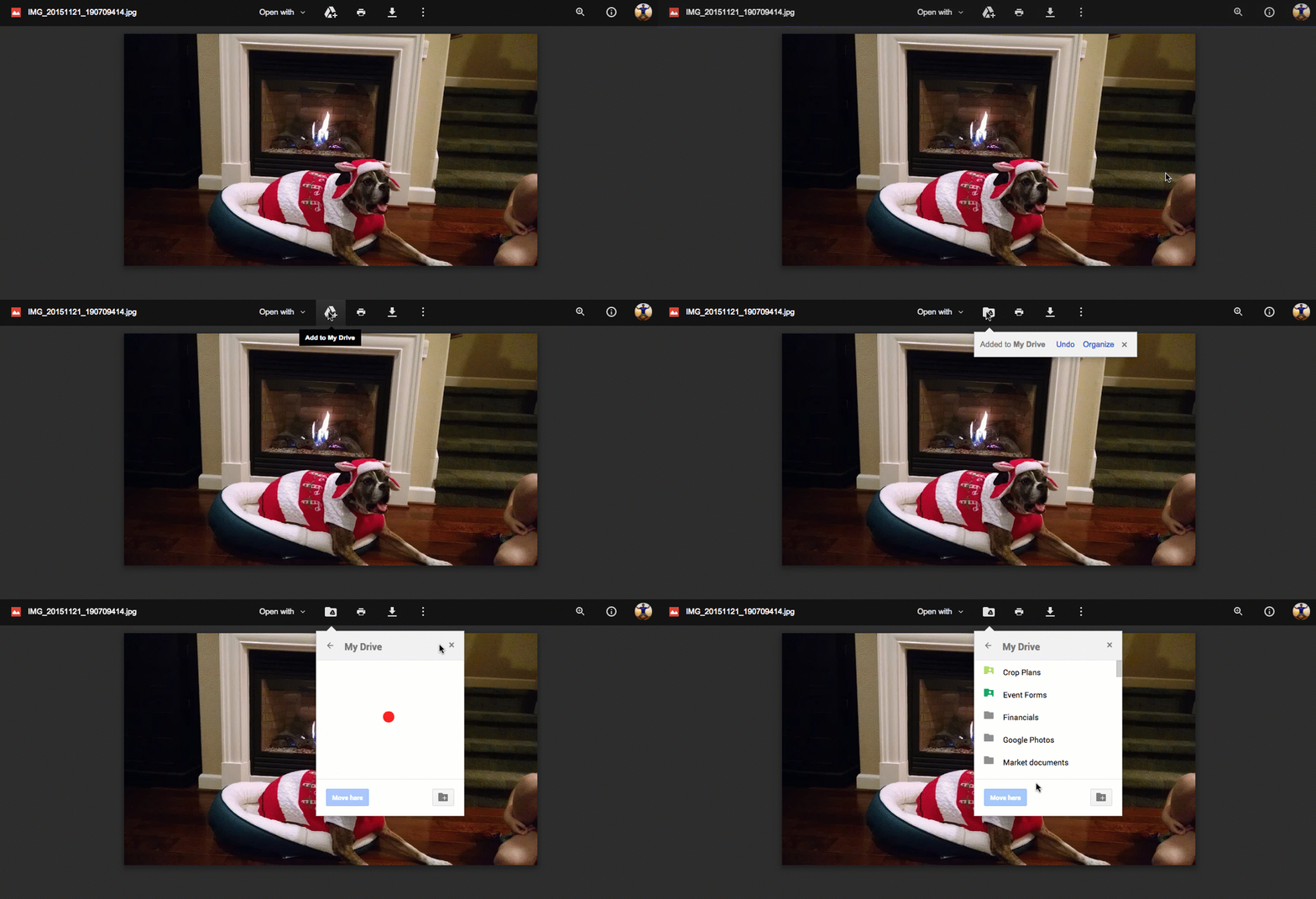
   - When previewing files, a new icon lets you add the file to any folder
   in “My Drive” quickly and easily.

<http://4.bp.blogspot.com/-kpRMv6WlA94/VpffmexvB3I/AAAAAAAABxU/MvOoBWN3gj0/s1600/preview_addtodrive1.gif>


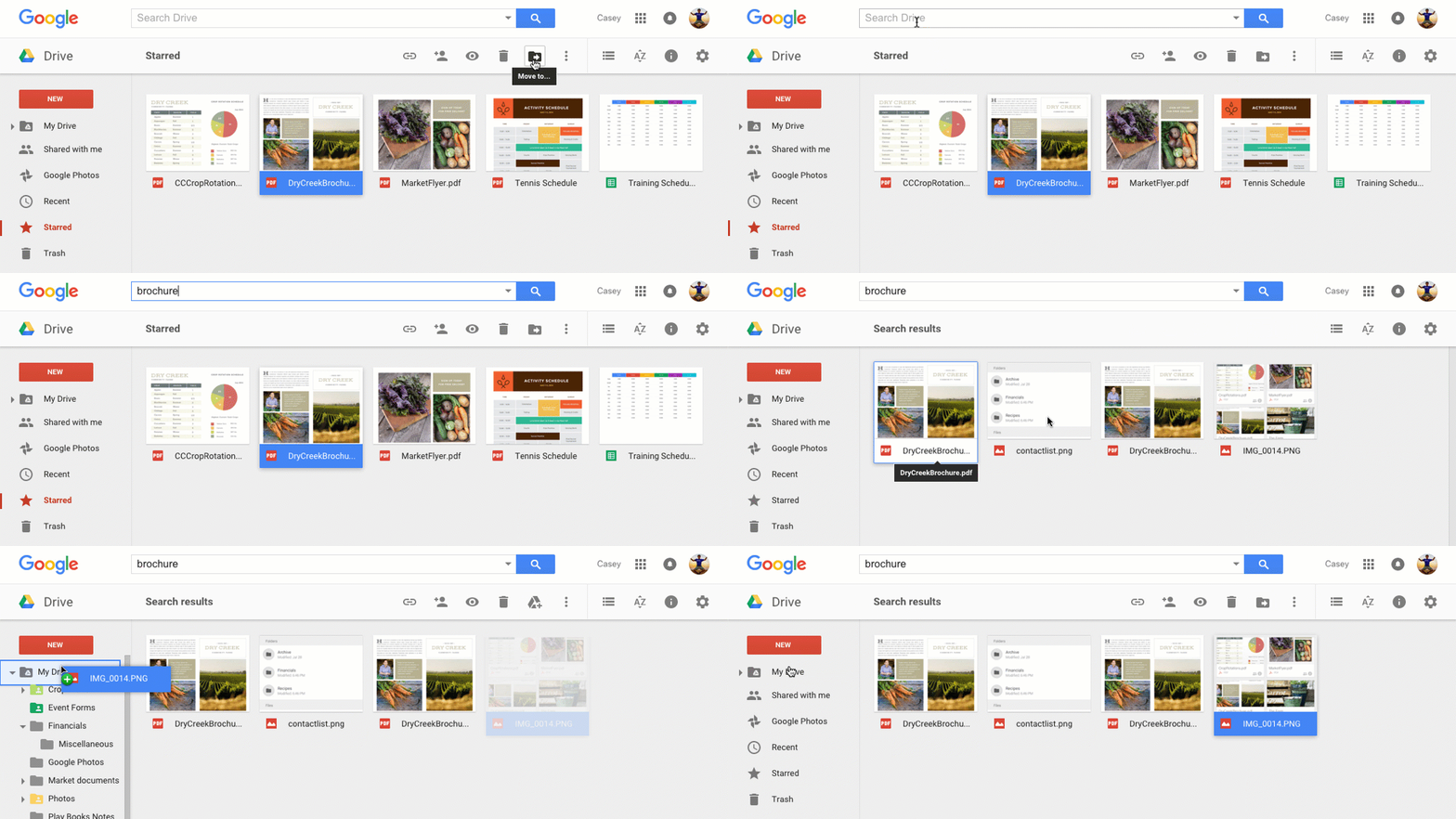
   - From search results, you can now drag and drop files into folders.

<http://4.bp.blogspot.com/--GnQdZcmKbs/VpfioYHBsTI/AAAAAAAABxc/-taztLbgNcc/s1600/drive_dragfromsearch3.gif>


As always, thanks for trusting Google Drive with your important files (and
the not-so-important ones, too). Happy 2016!

Posted by Lior Biran, Product Manager, Google Drive

--
You received this message because you are subscribed to the Google Groups
"Gmail-Users" group.
To unsubscribe from this group and stop receiving emails from it, send an email
to [email protected].
To post to this group, send email to [email protected].
Visit this group at https://groups.google.com/group/gmail-users.
For more options, visit https://groups.google.com/d/optout.