My calendar didn't send email re: event I posted last night; always has in
the past.
On Monday, December 7, 2015 at 11:51:20 AM UTC-5, Jeff Grossman wrote:
>
> Add to-dos to your Google Calendar using Reminders
> <http://feedproxy.google.com/~r/OfficialGmailBlog/~3/1S44JLd5n7c/add-to-dos-to-your-google-calendar.html>
> Dec 7th 2015, 16:43, by The Gmail Team
> <http://www.blogger.com/profile/10103598893707869193>
>
> Posted by Vijay Umapathy, Product Manager
>
> Our calendars should help us make the most of our time — scheduling
> meetings at work, remembering brunch with friends, and keeping track of all
> our other commitments. But often our to-do list is elsewhere, separate from
> the Calendar that organizes our day, and we end up overcommitted or miss
> something important because we forgot to check our list.
>
> Now there's a single way to manage your day: starting this week, you can
> create Reminders in Google Calendar to keep track of your to-dos alongside
> your scheduled events.
>
>
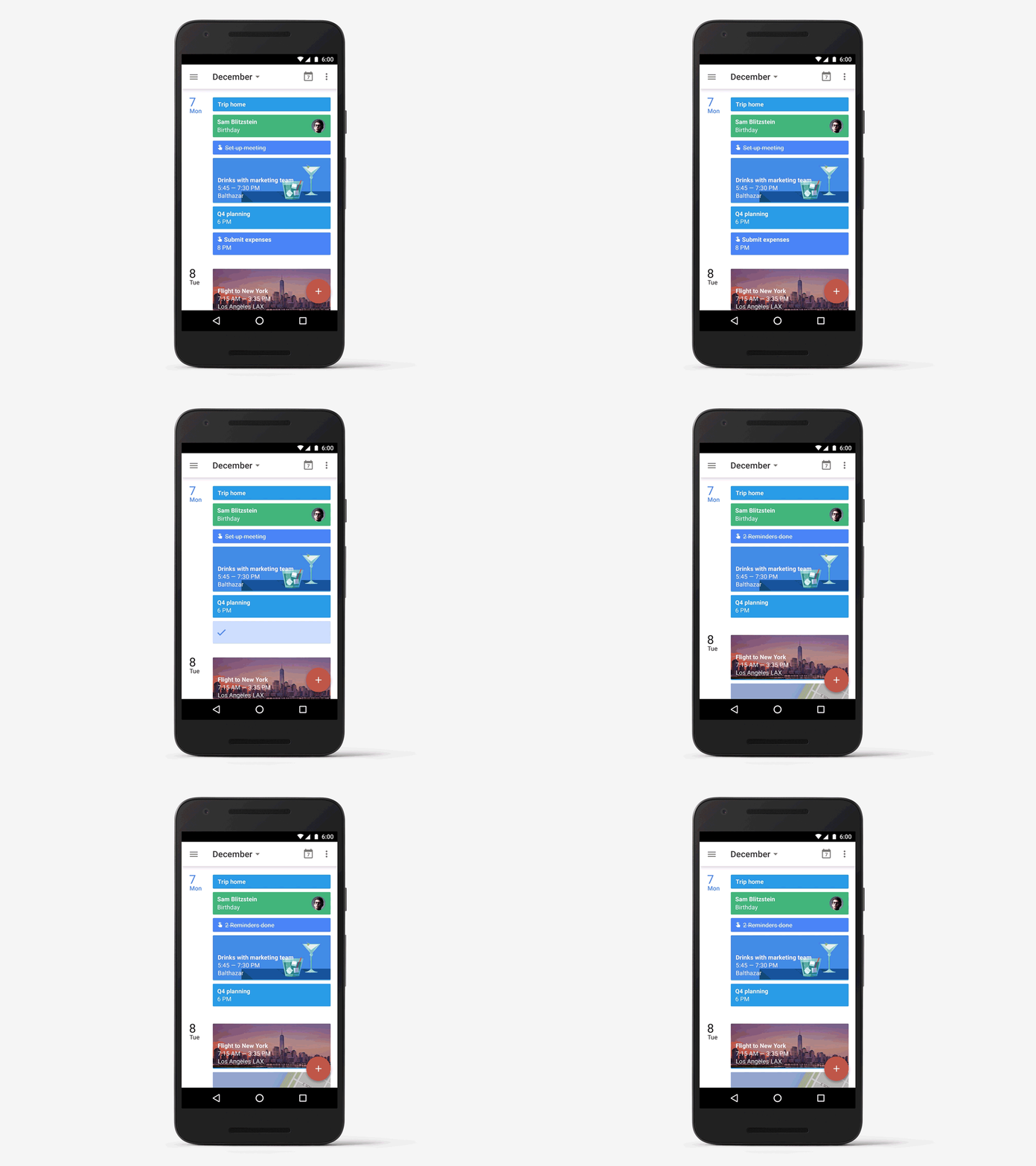
> *Reminders stick around*
> You might already create calendar entries to remind you to call the doctor
> or pick up groceries on the way home. But while those entries come and go,
> Reminders stick with you over time so you can track them until they are
> actually done. If a Reminder isn't completed, it will appear at the top of
> your Calendar the next day. And the next. When you do finally call the
> doctor or pick up those necessities, just swipe the Reminder away ... and
> you're onto the next to-do.
>
> <http://4.bp.blogspot.com/-8A8NIuRZugs/VmURUAYmMcI/AAAAAAAAB1E/a4kIgRgw7Y4/s1600/calendar1.gif>
> *Reminders help with the details*
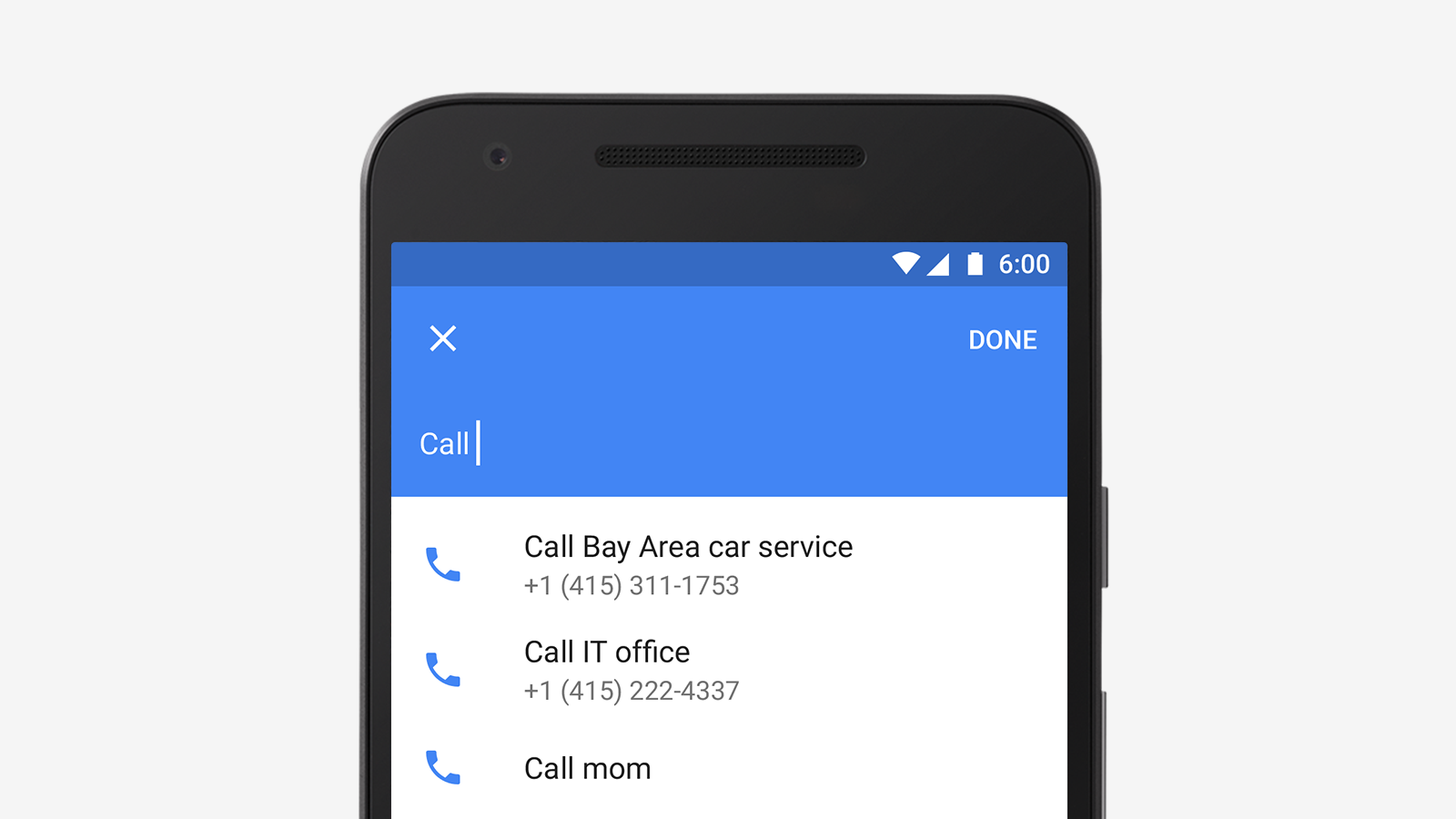
> Another way Reminders are more useful than events is that Calendar adds
> things like phone numbers and addresses automatically. So if you add a
> reminder to make call or run an errand, the number or address will be right
> there when you need it. Just like Inbox by Gmail
> <http://gmailblog.blogspot.com/2014/12/assists-in-inbox-extra-helping-hand-for.html>,
>
> Calendar uses information from your contacts, as well as Google's knowledge
> graph to provide this extra bit of help.
>
> <http://3.bp.blogspot.com/-aa7fB1Di8KA/VmURUF4pXkI/AAAAAAAAB08/KixX59nt3Zs/s1600/calendar2.png>
> *Reminders work across Google*
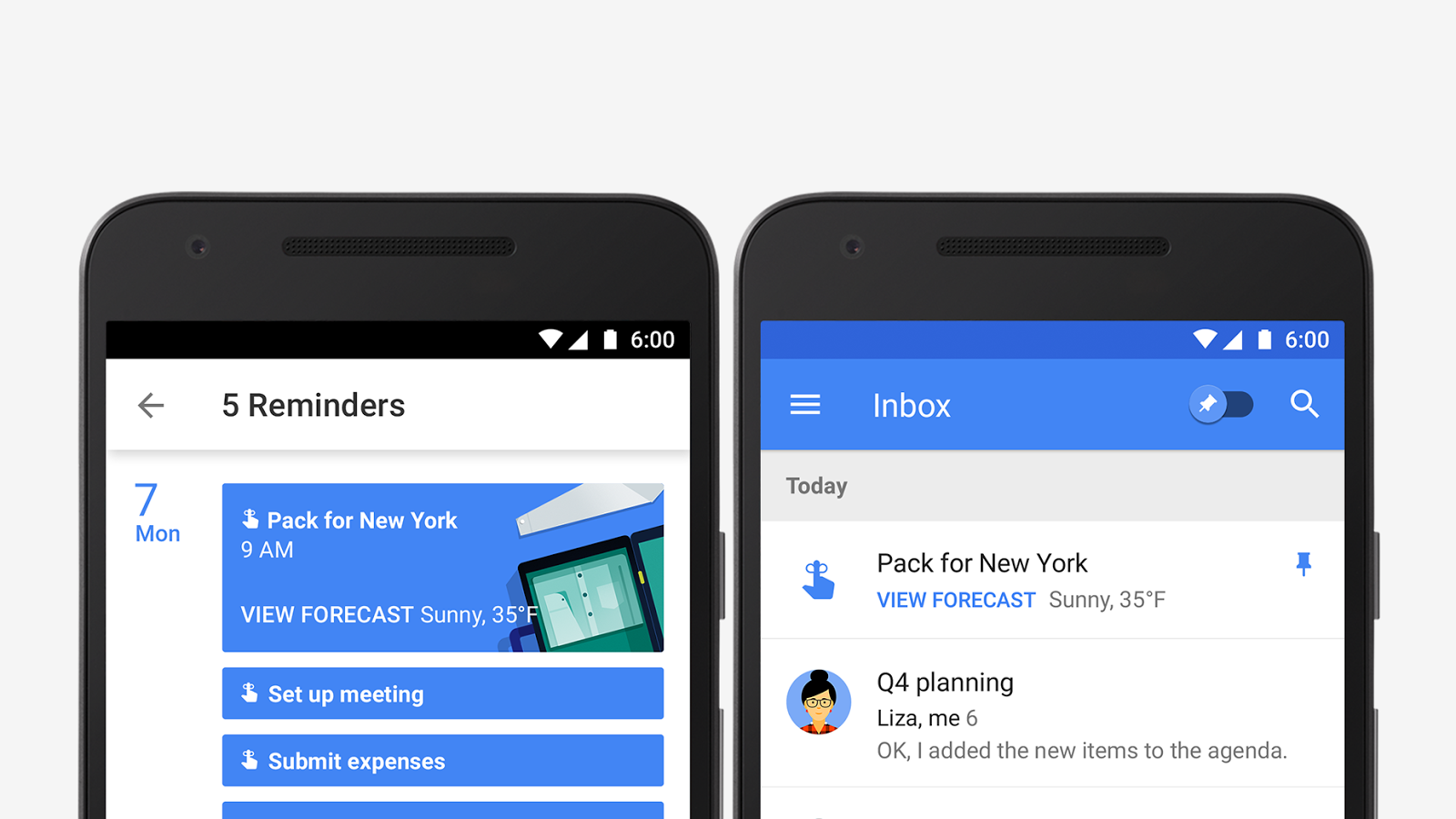
> You can also create Reminders from Inbox, Keep, and Google Now. This means
> you can create a Reminder when you're checking your email and it will show
> up on your calendar right away. Plans change? Just move the Reminder to a
> better time. Or if your hands are full, you can record your Reminders in
> Google Now一like, "Ok Google, remind me to buy birthday candles"一then mark
> it as done later in Calendar.
>
> <http://3.bp.blogspot.com/-l7OvX1ci4H4/VmURUPETz6I/AAAAAAAAB1A/gXFApvl13C4/s1600/calendar3.png>
> Reminders will be rolling out this week with the latest versions of
> Calendar on Google Play and the App Store. And don't worry, we're working
> on bringing Reminders to the web as well.
>

--
You received this message because you are subscribed to the Google Groups
"Gmail-Users" group.
To unsubscribe from this group and stop receiving emails from it, send an email
to [email protected].
To post to this group, send email to [email protected].
Visit this group at http://groups.google.com/group/gmail-users.
For more options, visit https://groups.google.com/d/optout.