http://cockpit-project.org/blog/cockpit-160.html
Cockpit is the modern Linux admin interface. We release regularly. Here
are the release notes from version 160.

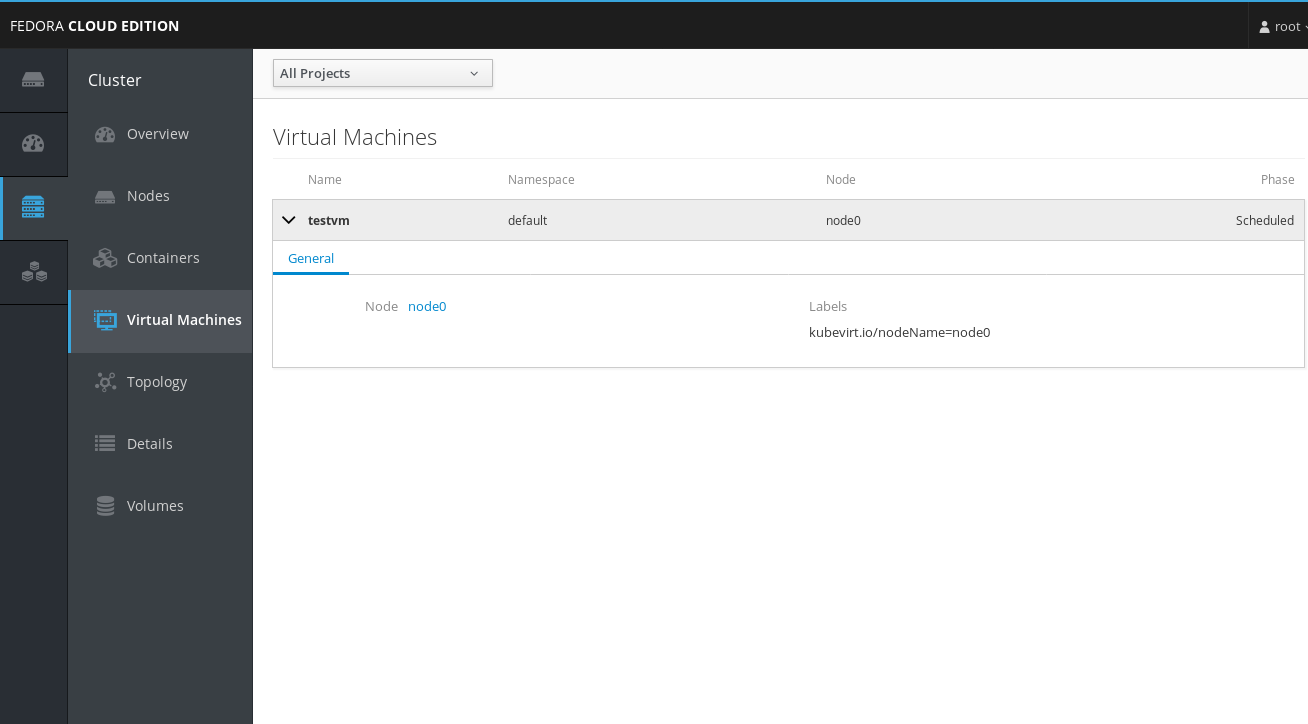
Add kubevirt Virtual Machines overview
--------------------------------------

kubevirt is a project for running KVM virtual machines in Kubernetes. Cockpit's
"Cluster" (Kubernetes/OpenShift) dashboard can now show the status of these VMs
in the new "Virtual Machines" menu entry. This only appears when kubevirt is
installed and active:

Screenshot: http://cockpit-project.org/images/kubernetes-kubevirt-list.png

In the future this will be extended to also do operations on the VMs.

Thanks to Jakub Niedermertl for this feature!

Redesign package list on Software Updates page and show RHEL Errata
-------------------------------------------------------------------

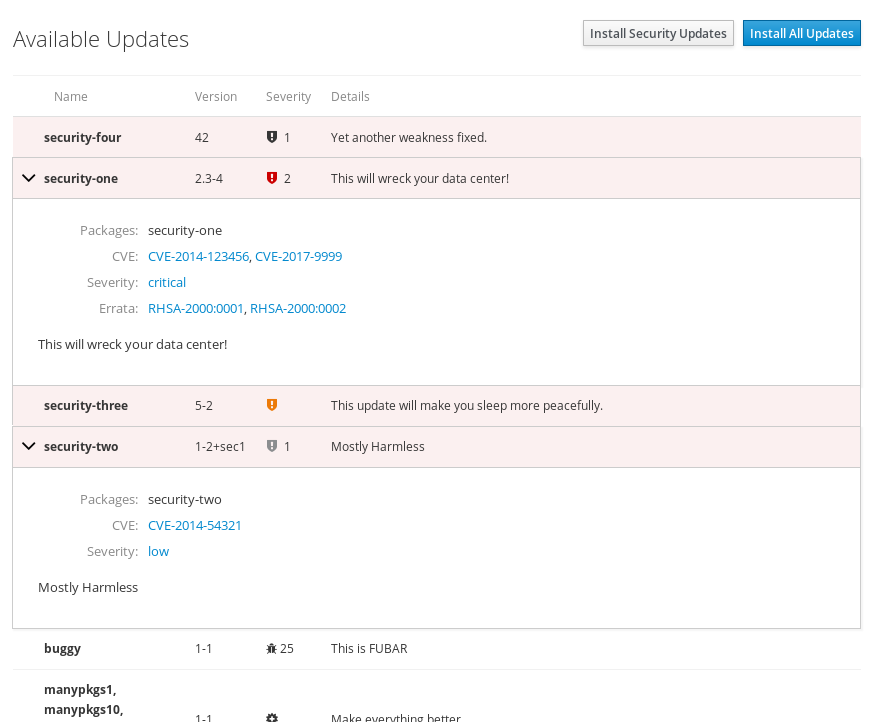
The table of available updates now looks and behaves much more consistently to
other products that handle software packages, like Satellite and Welder:

 * It now only shows the first line of the description and number of fixed
   security issues or bugs in the table, and moves the full description and
   detailled bug/CVE lists into an expander.

 * It shows icons for the severity of the update, i. e. "security", "bug fix",
   or "enhancement".

 * On Red Hat operating systems it also shows the
   classification (https://access.redhat.com/security/updates/classification)
   of security updates and links to the corresponding Errata.

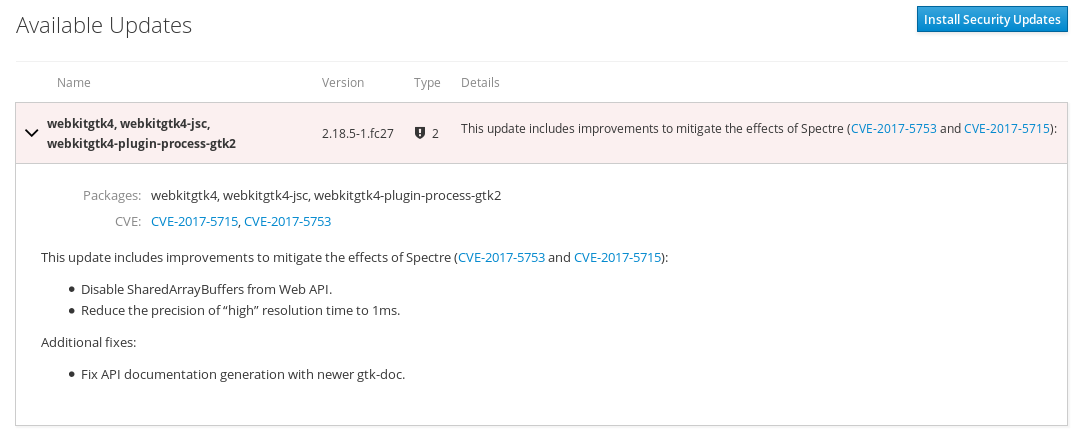
 * PackageKit often provides the update details in
   Markdown format. This now gets rendered properly instead of shown verbatim
   in text.

Screenshots:
http://cockpit-project.org/images/packagekit-errata.png
http://cockpit-project.org/images/packagekit-markdown.png

AppStream handling on Apps page
-------------------------------

On Fedora, the Apps page now installs the `appstream-data` package when
checking for new applications, which ships the AppStream metadata for
discovering new Cockpit applications.

This Cockpit version also adds AppStream metadata for its own
`cockpit-sosreport` package (which is not installed by default). Once
`appstream-data` gets updated again in Fedora, cockpit-sosreport will appear on
the Apps page as an available extension.

Change CPU graphs to use "100%" for a fully loaded multi-processor system
-------------------------------------------------------------------------

Previously, the CPU graphs on the System, Dashboard, and Containers pages were
calibrated to 100% for a single CPU core, so that the graph maxed out at e. g.
400% for a system with four busy CPU cores. Now it gets scaled so that "100%"
means "all cores are fully busy", which is the behaviour of command line tools
like `top`.

Show storage, network, and other numbers with 3 digits of precision
-------------------------------------------------------------------

Previously numbers like the free space on a storage device were shown with one
fractional digit only, which led to overly imprecise numbers like "0.1 GiB".
The new behaviour provices a more consistent accuracy regardless of the
number's magnitude.

Add an example bastion container
--------------------------------

A bastion container provides Cockpit's web service without actually logging in
to the machine on which it runs, but only connects to remote hosts via ssh:

   https://github.com/cockpit-project/cockpit/tree/master/containers/bastion

This is not a ready-to-use product for now, but we encourage you to experiment
with the example and give us feedback if you have such a use case.

Get it
------

You can get Cockpit here:

http://cockpit-project.org/running.html

Cockpit 160 is available in Fedora 27:

https://bodhi.fedoraproject.org/updates/cockpit-160-1.fc27

Or download the tarball here:

https://github.com/cockpit-project/cockpit/releases/tag/160


Take care,

Martin Pitt
 signature.asc
Description: PGP signature
_______________________________________________
cockpit-devel mailing list -- [email protected]
To unsubscribe send an email to [email protected]