As for the state of the tabs i think you should use the saveInstanceState
method or something like this. It will most likely retain the data on it
while you are on the TabActivity.
Also make your variables public so that when you click the save button you
can access them and save them on the way you would like to save them.


On Fri, Nov 30, 2012 at 2:30 PM, Guilherme Bernardi <
[email protected]> wrote:

> Hi
>
> I'm using the lastest ActionBar Sherlock version and I'm developing an
> application with layout with ActionBar and 3 Tabs for the navigation.
>
> These tabs will load two attribute classes:
>
> *1st Tab - (Dados): Class Cliente.*
> *2nd and 3rd Tabs - (Entrega, Cobrança): Class ClienteEndereco.*
>
> Could I start the whole save of three tabs by the action of Save on the
> actionBar?
> And Could I fill the 1st Tab for example and when I change to the 2nd Tab,
> the 1st doesn't lose the data?
>
> More information about the structure:
>
> I'd structured the tabs and activities this way:
>
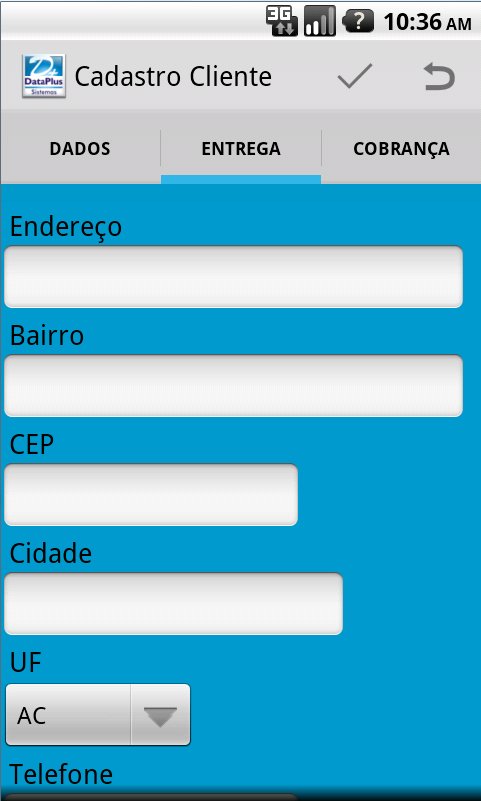
> I have a SherlockFragmentActivity (*CadastroCliente*) where I implemented
> the ActionBar and the Menu with Save, Cancel (You can see at the print
> below).
>
> And I have three SherlockFragment for each Tab:
>
> *CadastroClienteDados*
> *CadastroClienteEntrega*
> *CadastroClienteCobranca*
>
> I've made the layout with 4 xm layout:
>
> One for the SherlockFragmentActivity with a FrameLayout inside that will
> be inflate.
> One for each SherlockFragment with components(EditText, CheckBox...)
>
> I'm working with a Persistence Class with a overridable method grava(),
> this method will be override on attribute classes to persist the objects in
> a SQLite databases.
>
>
> <https://lh5.googleusercontent.com/-FdScOx8GzfY/ULieweRT2VI/AAAAAAAAAiw/Du9SmKV7RE4/s1600/tabDados.png>
>
>
> <https://lh5.googleusercontent.com/-LUvbCEaMVCE/ULiezrViBMI/AAAAAAAAAi4/0Xc-Xv9GkYA/s1600/tabEntrega.png>
>
>
> <https://lh3.googleusercontent.com/-akSpw289j1U/ULie3q_o9oI/AAAAAAAAAjA/YmImPD-HmZM/s1600/tabCobranca.png>
>
> Thanks in advance.
>
> --
> You received this message because you are subscribed to the Google
> Groups "Android Developers" group.
> To post to this group, send email to [email protected]
> To unsubscribe from this group, send email to
> [email protected]
> For more options, visit this group at
> http://groups.google.com/group/android-developers?hl=en

--
You received this message because you are subscribed to the Google
Groups "Android Developers" group.
To post to this group, send email to [email protected]
To unsubscribe from this group, send email to
[email protected]
For more options, visit this group at
http://groups.google.com/group/android-developers?hl=en